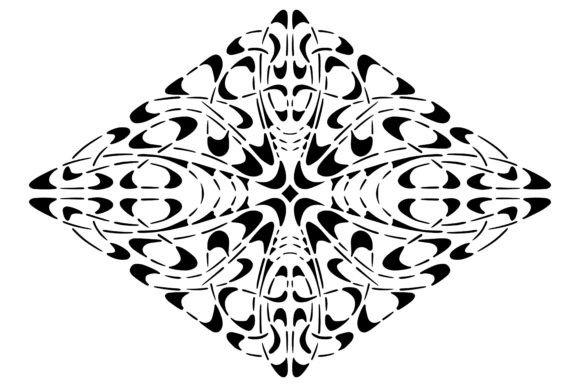
Art Nouveau Stencil: A Timeless Design for Modern Makerspaces
The intricate, flowing lines of the Art Nouveau Stencil offer a unique bridge between historical elegance and contemporary craftsmanship. Often associated with the late 19th and early 20th centuries, this design style is characterized by organic shapes, floral motifs, and sinuous curves that seem to dance across any surface. For today's creators, from hobbyists in a home workshop to professionals running small businesses, these stencils provide more than just decoration; they offer a versatile tool for adding high-end aesthetic value to projects without the need for expensive custom manufacturing.
However, while the visual appeal of Art Nouveau patterns is undeniable, the transition from a digital file to a physical masterpiece requires careful planning. Many users rush into cutting or printing without understanding the nuances of the design, leading to frustration and wasted materials. Whether you are using a lasercutter, vinyl cutter, or even a digital embroidery machine, the success of your project depends on how well you prepare the file and select the right application method.
Navigating File Formats and Digital Preparation
One of the most common pitfalls when acquiring an Art Nouveau vintage stencil involves the file format. You will often find these designs available as PNG, JPG, SVG, PSD, or PDF files. While having options sounds beneficial, choosing the wrong one can ruin your workflow before you even touch a machine. A frequent mistake is attempting to cut a raster image like a JPG or PNG directly on a vector-based laser cutter or CNC router. These formats rely on pixels, which means the software cannot distinguish between a line and a background color with mathematical precision. This often results in jagged edges, incomplete cuts, or the machine struggling to interpret the complex curves typical of Art Nouveau art.
To avoid this, always prioritize the SVG (Scalable Vector Graphics) format if your goal is cutting. Vectors use mathematical paths, ensuring that every swirl and leaf remains crisp regardless of how much you scale the design up for a floor painting or down for a sticker. If you only have access to a raster file, ensure it is high-resolution (300 DPI or higher) and convert it to vectors using tracing software before sending it to your cutter. Skipping this step might save time initially but will likely cost you hours of cleanup and material waste later.
Selecting the Right Material and Tool
Another area where beginners often stumble is underestimating the relationship between the tool and the material. An Art Nouveau Stencil with fine, delicate details behaves very differently depending on whether you are cutting it with a vinyl cutter, engraving it with a CNC router, or sublimating it onto fabric.
For instance, if you plan to create large-scale floor paintings using lasercut stencils, you must consider the durability of the material. Thin cardstock or low-density plastic may tear under foot traffic or during the application of heavy paint. Conversely, using thick acrylic for a small wall decal might be overkill and difficult to apply smoothly. Similarly, when using a vinyl cutter for stickers or decals, failing to adjust the pressure settings for the specific thickness of the vinyl can lead to "over-cutting," where the blade slices through the backing paper, ruining the transfer.
If you are moving into textile applications, such as applique or digital embroidery sewing machines, the design complexity becomes a critical factor. Art Nouveau designs often feature dense, overlapping elements. In embroidery, if the stitch density is too high, the fabric can pucker, distorting the elegant curves. The solution lies in pre-visualizing the final product. Check the thread count and fabric type against the design's intricacy. A good rule of thumb is to simplify the inner details of the design if you are working with a smaller canvas or a less experienced operator.
Avoiding Common Application Errors
Even with perfect files and the right tools, the application process can make or break a project. A significant misunderstanding among makers is assuming that a stencil works universally across all surfaces. When creating a stencil for sublimation, for example, the ink transfer relies on heat and pressure. If the substrate is not polyester-based or if the heat press temperature is incorrect, the vibrant colors of the Art Nouveau pattern will fade or blur. This is a costly error, especially when dealing with premium materials.
When using hand-cut stencils for floor painting, alignment is key. Unlike digital prints, stencils do not come with registration marks unless you specifically include them in the design. Without proper alignment guides, repeating a pattern across a large floor area can result in misaligned leaves or broken vines, destroying the illusion of a continuous flow. To prevent this, always create a grid or use masking tape to secure the stencil firmly before applying paint. Furthermore, ensure you use the correct type of paint; standard house paint can bleed under the stencil edges, whereas specialized stencil paint is formulated to stay put.
For entrepreneurs and marketers using these designs for branding, consistency is paramount. Using a low-quality JPEG version of the logo for business cards while using a high-res SVG for signage creates a disjointed brand identity. Always maintain a library of the highest quality versions of your Art Nouveau Stencil assets to ensure professional presentation across all channels.
Evaluating Quality Before Purchase
Before downloading or buying a design, take a moment to evaluate the source. Not all online marketplaces curate their content strictly. Some sellers upload images that look good at a glance but contain hidden errors, such as open paths in vector files or missing layers in PSD documents. This can cause your machine to crash or your editing software to malfunction. Look for previews that show the design at different scales. If the intricate details disappear or become muddy when zoomed out, the original file may lack the necessary resolution.
Additionally, consider the licensing terms. If you intend to use the design for commercial products, such as selling printed shirts or branded merchandise, ensure the license allows for commercial use. Many free or cheap downloads are restricted to personal use only. Violating these terms can lead to legal issues and damage your reputation as a responsible creator.
Practical Steps for Success
To ensure your next project with an Art Nouveau vintage stencil is successful, follow this practical approach:
- Verify the Format: Always start with an SVG or high-quality vector file for cutting tasks. Use PSD or AI for editable layouts.
- Test First: Run a test cut on scrap material to check blade depth and pressure settings. For printing, run a proof on plain paper first.
- Match the Medium: Choose materials that complement the design's complexity. Delicate lace-like patterns work best on smooth, rigid surfaces or stable fabrics.
- Prepare the Surface: Clean your workspace thoroughly. Dust and debris can interfere with adhesion and cutting accuracy.
- Plan the Layout: Map out your design before committing to the final material. Ensure you have enough space for the full pattern to breathe.
By respecting the intricacies of the design and preparing adequately, you can transform a simple digital file into a stunning physical piece. Whether you are crafting a custom sticker, designing a room accent, or producing goods for your small business, the Art Nouveau Stencil offers endless possibilities. Avoid the shortcuts that lead to poor results, and instead, invest time in preparation. The result will be a cohesive, professional, and beautiful creation that honors the timeless beauty of the Art Nouveau movement.